
About LG Subscribe Malaysia – Home Appliance Subscription Made Easy
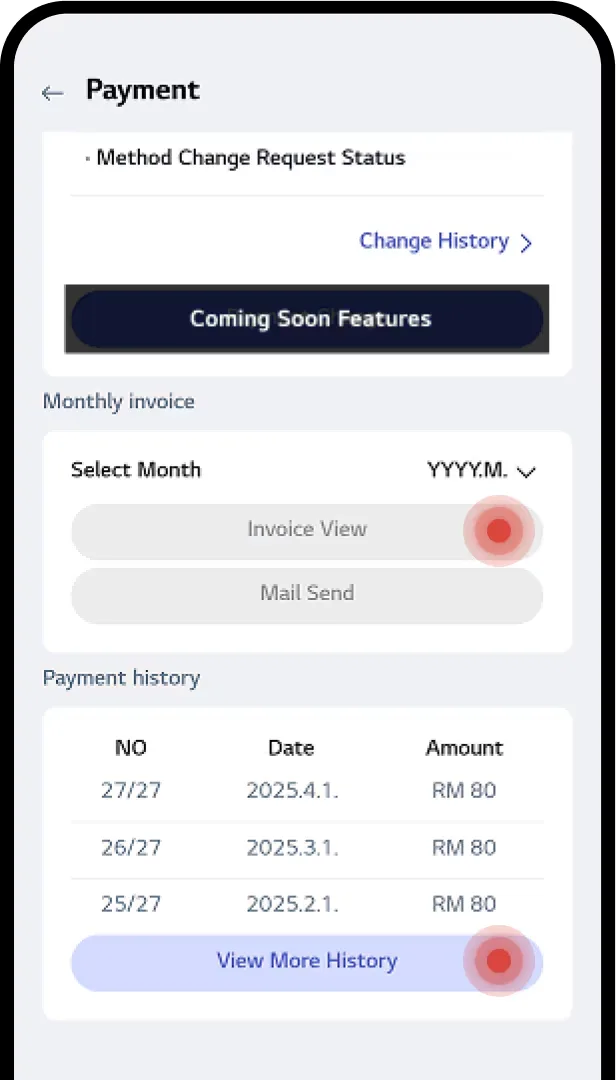
# About LG Subscribe Malaysia – Home Appliance Subscription Made Easy## What Is LG Subscribe Malaysia?LG Subscribe Malaysia, formerly known as LG Rent-Up, is a home appliance subscription and rental programme offered by LG Electronics Malaysia. Through Rent-Up.my, customers can enjoy a wide range of LG home appliances with convenient monthly payments instead of paying the full purchase price upfront.Designed to make modern living more accessible, LG Subscribe allows eligible individuals and corporate customers to explore subscription options for essential household appliances, including refrigerators, washing machines, dryers, air conditioners, water purifiers, air purifiers, dishwashers, televisions and audio products.With flexible appliance options, maintenance services and extended warranty coverage during the subscription period, LG Subscribe helps customers enjoy modern home technology while simplifying appliance care.## Benefits of LG Subscribe### 1. Affordable Monthly PaymentsEnjoy selected LG home appliances through a monthly subscription rather than making a large upfront purchase. This approach can help eligible customers manage household expenses while upgrading their homes with modern appliances.### 2. Extended Warranty CoverageLG Subscribe offers selected subscription packages with 5-year or 7-year warranty coverage during the applicable rental period, subject to the product and contract terms. This provides additional peace of mind compared with the typical 1-year or 2-year warranty available with many outright purchases.### 3. Convenient Appliance MaintenanceLG Subscribe offers different CareShip maintenance options, including regular service visits, self-service maintenance and combined service plans. Depending on the selected package and product, services may include filter and consumable replacement, interior and exterior cleaning, and performance inspections.### 4. Smart Home Convenience with LG ThinQ™Selected LG appliances support LG ThinQ™, allowing customers to access compatible smart appliance features. Subscribers can also use the app to view subscription information, check delivery progress, review care service details and access payment history.### 5. A Wide Range of LG Home AppliancesDiscover subscription options across multiple appliance categories, including:– **Water Purifiers:** LG PuriCare™ water purifiers for everyday hydration. – **Air Purifiers:** LG PuriCare™ air purifiers, including selected models designed for homes with pets. – **Air Conditioners:** LG DUALCOOL™, DUALCOOL™ Ai and ARTCOOL™ air conditioners. – **Washing Machines:** LG front-load and top-load washing machines. – **Dryers:** LG Dual HeatPump™ dryers and selected washer-dryer combinations. – **WashTower™:** Integrated LG washing and drying solutions. – **Refrigerators:** LG top-freezer, side-by-side and InstaView™ refrigerators. – **Dishwashers:** LG QuadWash™ dishwashers. – **TVs and Audio:** Selected LG OLED, QNED and other television and audio products.Product availability, subscription packages and eligibility may vary.## How to Subscribe to LG Home AppliancesGetting started with LG Subscribe through Rent-Up.my involves four main steps.**Step 1: Submit Your Enquiry**Complete the enquiry form with your contact details, preferred LG appliance and selected subscription package.**Step 2: Receive a Quotation**The team will prepare a quotation based on your chosen product and applicable promotions, then provide a link to proceed with your order.**Step 3: Complete Your Order**Fill in the order form and follow the payment card verification instructions. The website states that RM10 is temporarily deducted for card validation and fully refunded.**Step 4: Verification and Installation Arrangements**The LG installer will verify the relevant details and arrange an installation date where applicable. Air conditioner subscriptions require a site evaluation before installation, while the About page specifies delivery service for air purifiers.Customers should review the relevant product and contract terms for the applicable delivery, installation and service arrangements.## LG CareShip: Appliance Maintenance and SupportLG Subscribe offers CareShip maintenance options designed to help keep selected appliances in good working condition throughout the subscription period.Depending on the selected service plan, CareShip may include:– Filter and consumable replacements. – Interior and exterior appliance cleaning. – Appliance performance inspections. – Scheduled maintenance visits. – Self-service maintenance guidance. – Delivery tracking for applicable consumables. – Access to relevant care service information.Customers can check their CareShip information through the LG ThinQ™ app. Available options depend on whether the customer is enrolled in a regular visit, self-service or combined maintenance plan.## LG Subscribe vs Buying Appliances OutrightChoosing between a traditional appliance purchase and an LG Subscribe plan depends on your budget, maintenance preferences and household needs.**Buying outright:** Customers pay the purchase price upfront and are generally responsible for maintenance and repair expenses outside the applicable warranty coverage.**LG Subscribe:** Customers pay a monthly rental fee for the contracted period and may receive extended warranty coverage, maintenance services and consumable replacements according to the selected package.The About page lists 5-year or 7-year warranty coverage for applicable subscriptions, compared with a typical 1-year or 2-year warranty for outright purchases. Actual coverage and benefits are subject to the relevant product and contract terms.LG Subscribe can be an option for customers who prefer spreading appliance costs over time and having eligible maintenance services included in their subscription package.## Manage Your Subscription Through LG ThinQ™Eligible customers can use the LG ThinQ™ app to manage and monitor their LG Subscribe accounts.After installing the app, customers can log in or sign up, access the LG Subscribe section, authenticate their account and verify their identity using a one-time password (OTP).Once authenticated, customers can access available subscription management features, including:– **Subscription Information:** View subscribed products and contract details. – **Delivery Tracking:** Check delivery and installation progress where available. – **CareShip Information:** Review maintenance details and available service options. – **Customer Information:** Update permitted contact and address details. – **Payment History:** Review previous payments, check payment information and generate monthly invoices for email delivery.Access to LG Subscribe within the app is available to customers with an order, according to the website’s instructions.## Frequently Asked Questions About LG Subscribe Malaysia### What is LG Subscribe?LG Subscribe is a home appliance rental and subscription programme offered by LG Electronics Malaysia for selected products. It allows eligible customers to use LG appliances through monthly payments under a subscription contract.### Is LG Subscribe the same as LG Rent-Up?LG Subscribe was formerly known as LG Rent-Up. Rent-Up.my provides access to LG Subscribe products, subscription enquiries and related services.### Do I need to pay a large upfront amount?The website states that no upfront payment is required when applying for the programme. However, customers should follow the applicable order and card verification instructions, including the stated temporary RM10 card validation deduction, which is fully refunded.### How do I pay my monthly subscription?Monthly rental payments are made through automatic deductions from a debit or credit card, according to the website’s published FAQ.### Who can apply for LG Subscribe?Eligible individuals and corporate customers may apply, subject to the programme’s credit criteria and approval requirements.### Can I subscribe to more than one LG appliance?Yes. Customers may apply for multiple products, subject to eligibility and approval.### Can I terminate my subscription early?Early termination is subject to applicable termination fees and the terms of the subscription contract. Customers should review the contract before applying.### Will I keep the appliance after the subscription period ends?The website states that the rented product remains with the customer without further rental fees after the end of the contract period. Customers should confirm the applicable ownership and contract conditions for their selected subscription.### Does LG Subscribe include maintenance?Selected subscription plans include CareShip maintenance services and warranty benefits. The services provided depend on the product, package and contract.### How can I check my delivery or payment status?Eligible customers can access the LG Subscribe section in the LG ThinQ™ app to view available subscription information, delivery progress, CareShip details and payment history.### Where can I find the terms and warranty conditions?Refer to the official LG Subscribe Terms and Conditions of Sales Contract and Service and Warranty Terms and Conditions available through the website’s document links.## Discover LG Subscribe on Rent-Up.myMake your home more comfortable with LG home appliances through convenient subscription options. Explore available products, compare packages and discover applicable promotions for water purifiers, air purifiers, air conditioners, refrigerators, washing machines, dryers, dishwashers, TVs and more.Visit [Rent-Up.my](https://www.rent-up.my/) to browse LG appliances and learn more about LG Subscribe Malaysia.For customer service, call **1800-18-7874** during the published operating hours. For sales enquiries, contact **019-6939-629**.**LG Subscribe Malaysia – modern home appliances, convenient monthly payments and care options designed around your lifestyle.**


What is LG Subscribe ?
LG Subscribe (formerly known as LG Rent-Up) is a household appliance renting service that allows you to complete your home in a cost effective way. A wide range of appliances from refrigerators to TVs are available to rent, making your place truly feel like a home


3 Benefits of LG Subscribe

1
First in the market, Offering 10 product lines in Malaysia.

2
Varying Hassle Free Maintenance from Regular Visit, Self-Service or Combine Maintenance.

3
LG ThinQ Accessible products to upgrade your lifestyle

How to Subscribe
With LG Subscribe, keeping your appliances in top shape is easy.
LG’s experts provide regular visitation care services or self-care kits to help you maintain your appliances, ensuring they are always well-maintained and performing at their best. The service includes an extended warranty, so you can use your appliances without worrying about breakdowns.
ㆍFor Air Conditioner products, LG will arrange a site evaluation before installing.
ㆍOnly delivery service is provided for Air purifiers.

STEP 1
Just fill out the form below with your details, the appliance you want, and your chosen package.

STEP 2
We’ll create a quote with the latest deals and send you the link to place your order.

STEP 3
Just fill out the order form—RM10 will be temporarily deducted for card validation and fully refunded.

STEP 4
The LG installer will give you for verification & arrange installation date.
Carefully maintained by expert technicians from LG
LG’s experts provide regular visitation care services or self-care kits to help you maintain your appliances, ensuring they are always well-maintained and performing at their best. The service includes an extended warranty, so you can use your appliances without worrying about breakdowns.
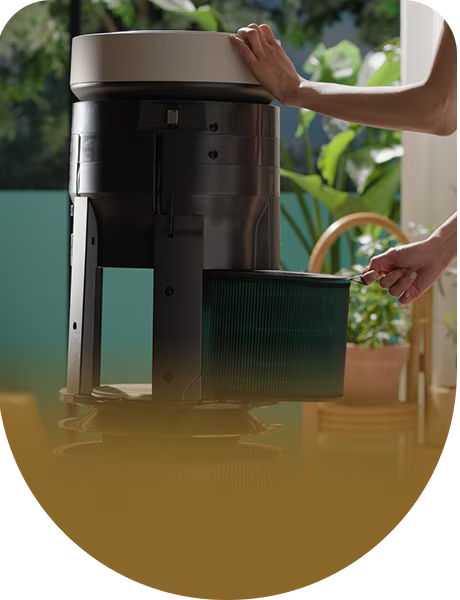
Filter/Consumable
Replacement
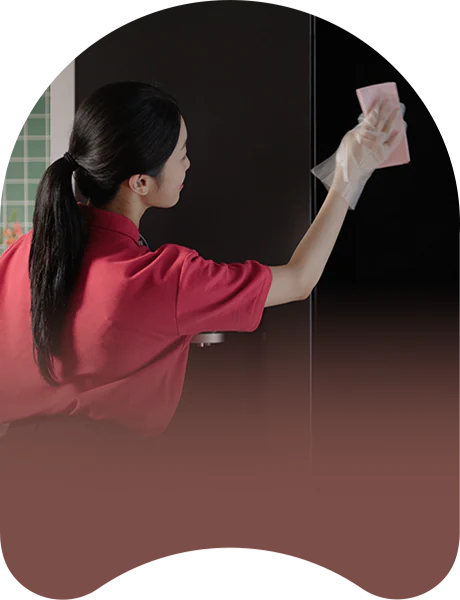
Interior/Exterior
Total Cleaning
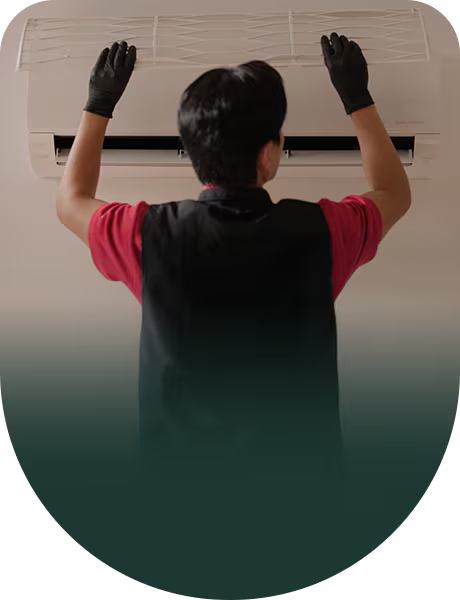
Performance
Inspection
Outright vs Subscribe
Cost
Outright
Subscribe
Requires a significant upfront cost, which can be a financial burden.
More Accessible without large upfront cost, which can own and enjoy appliances with just a monthly rental fee.
Warranty
Outright
Subscribe
1 to 2 year warranty
5 or 7 year Warranty (during the rental period)
Maintenance
Outright
Subscribe
Fully responsible for all maintenance and repair costs and the effort.
Include maintenance and warranty as part of the LG Subscribe, as well as consumable replacements.
Check your subscription in LG ThinQ™
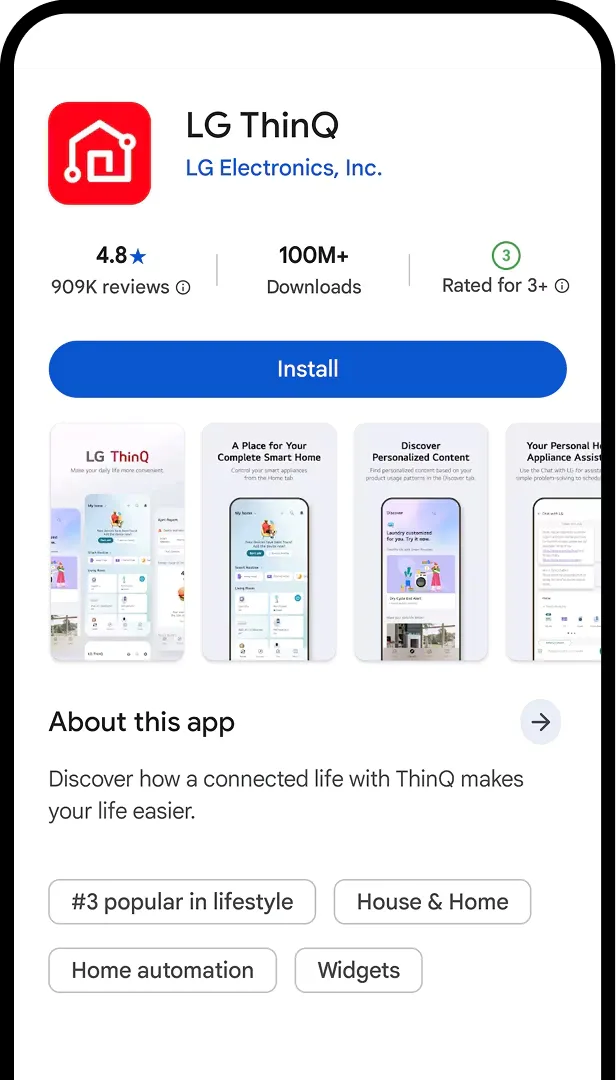
STEP 01
Click “Install” to download the LG ThinQ™.


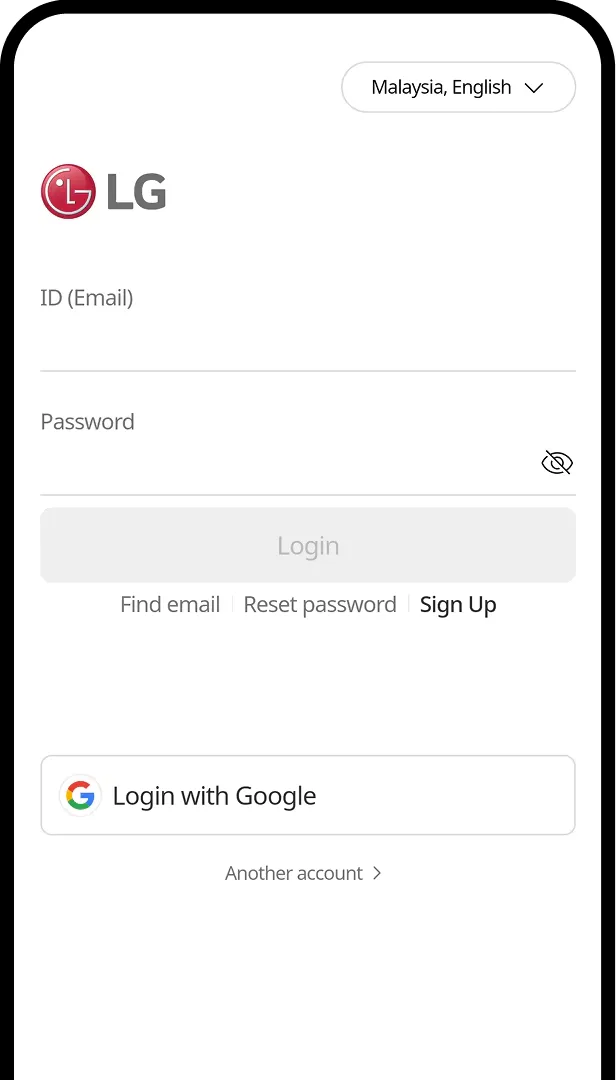
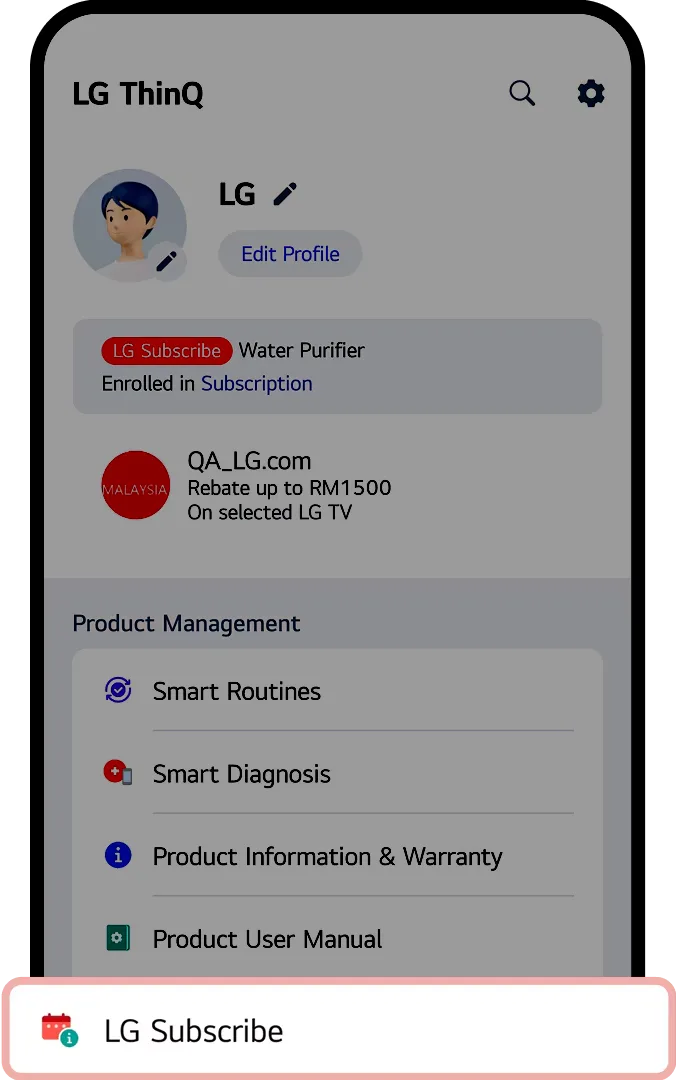
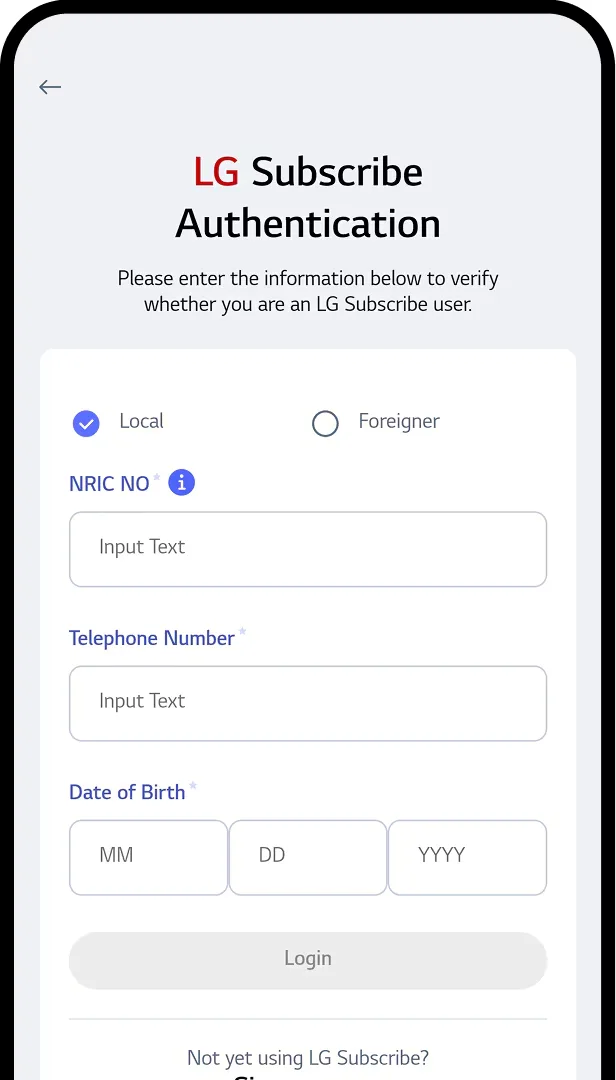

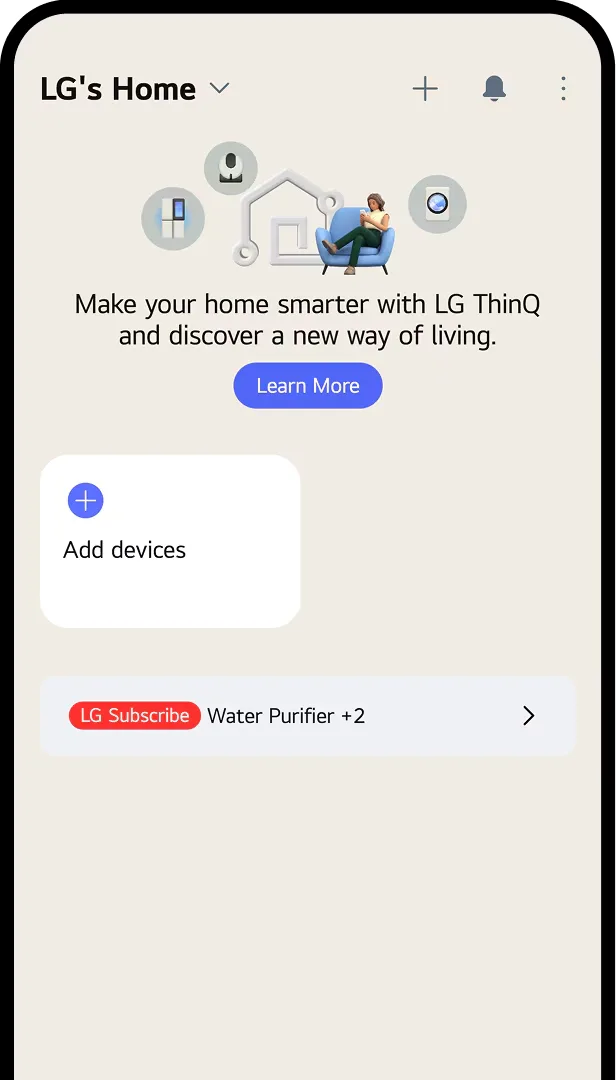


STEP 01
After login, tap “LG Subscribe” section
to see delivery and installation details.
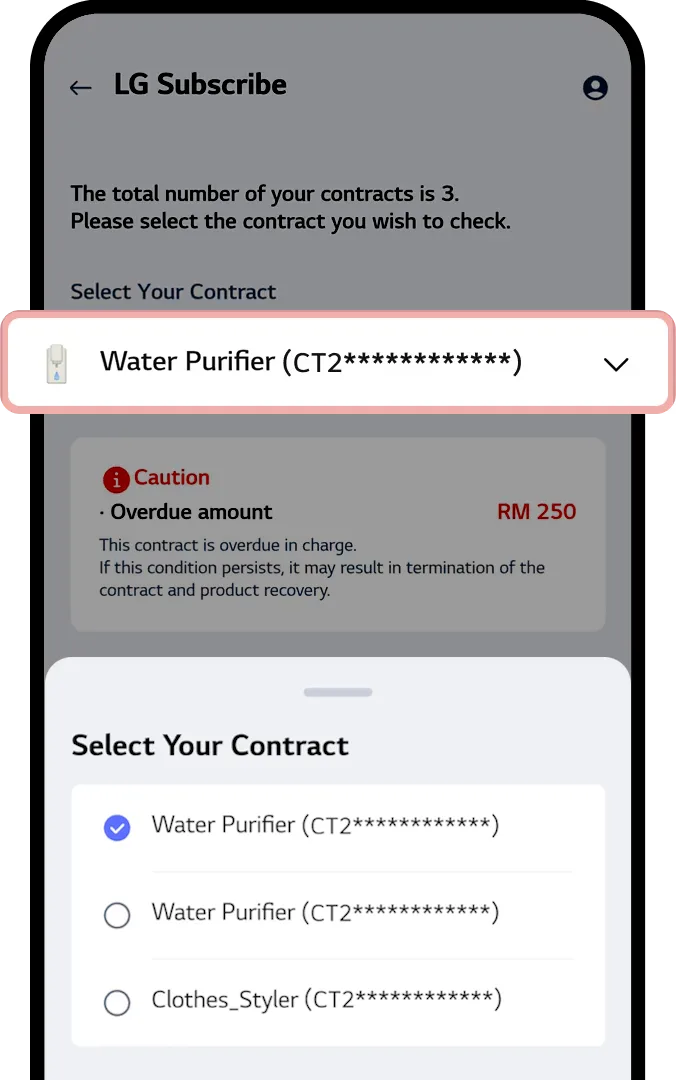
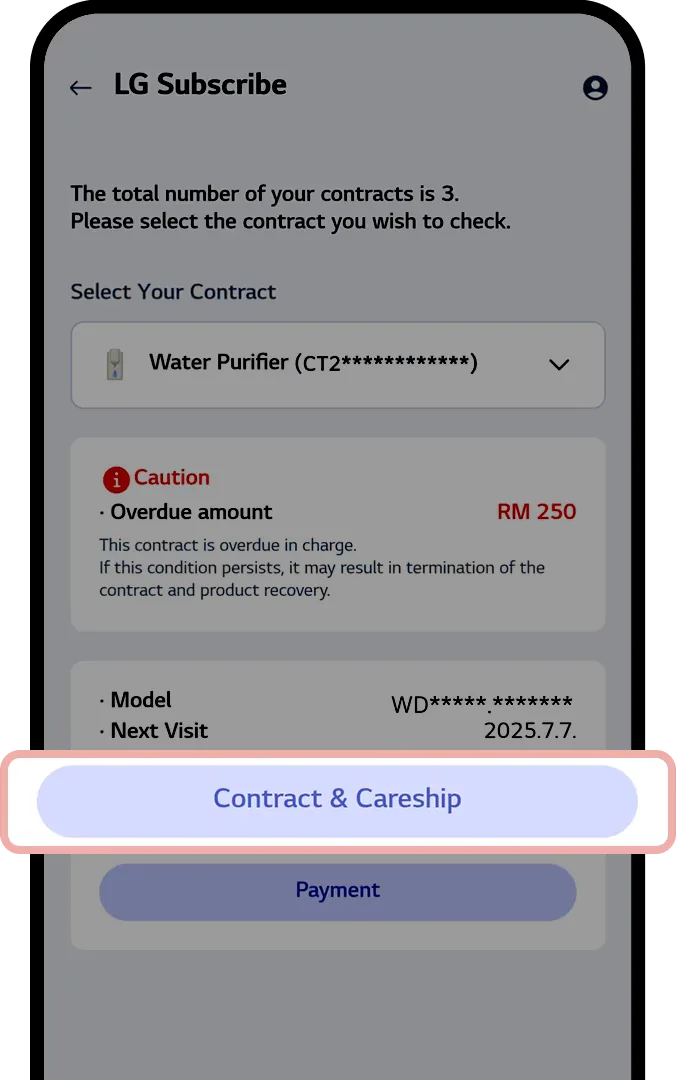

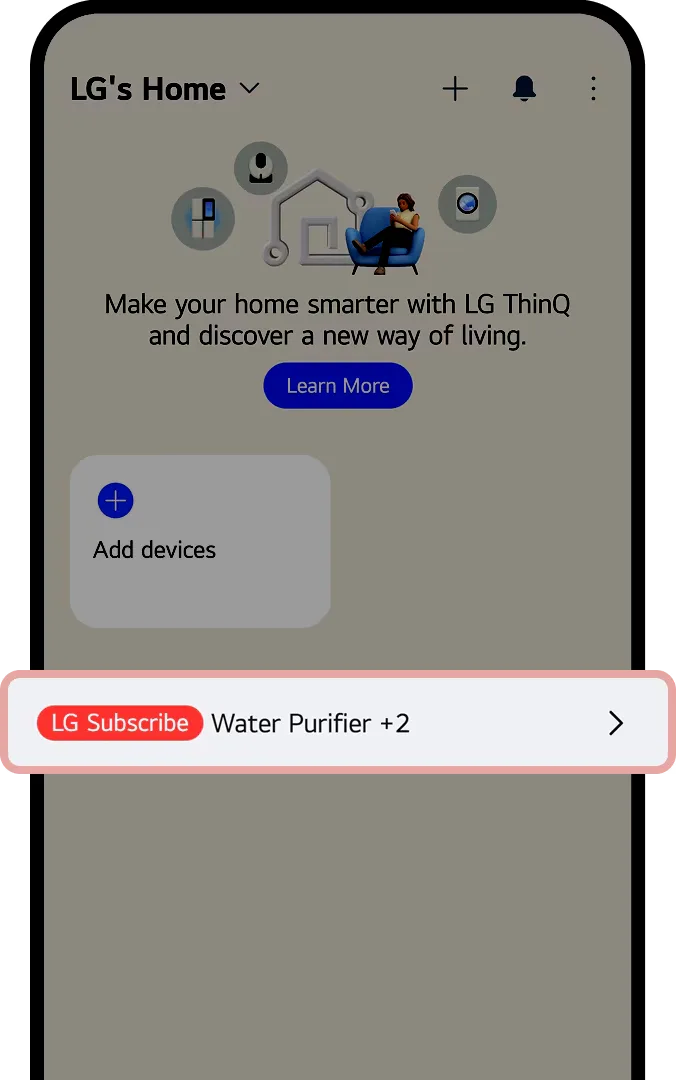
STEP 01
After login, tap “LG Subscribe” section
to see delivery and installation details.
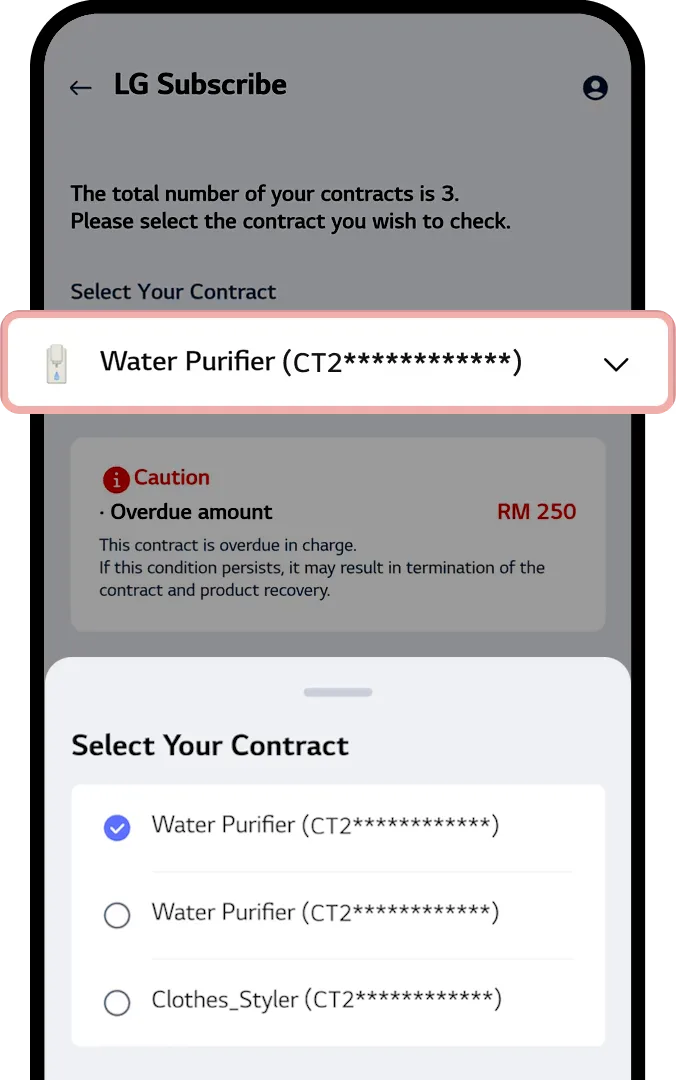
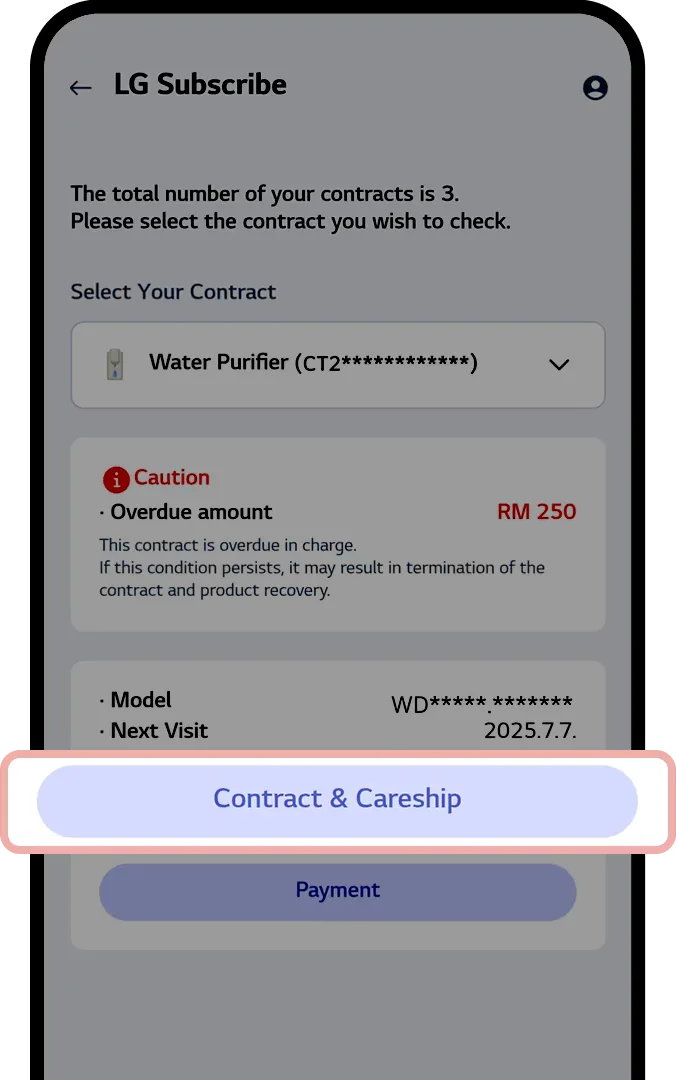

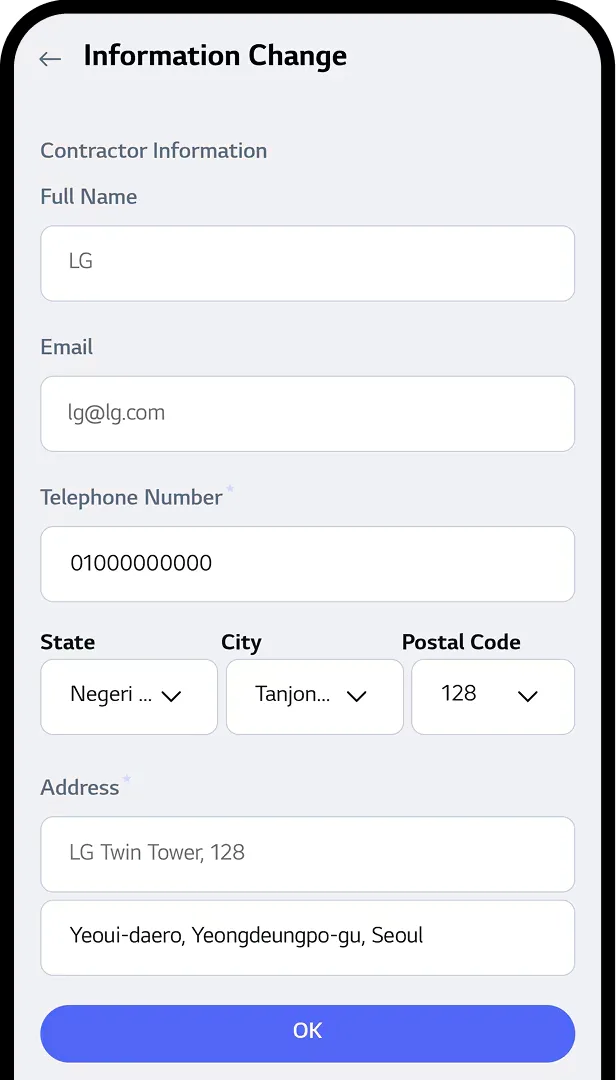
STEP 01
After login, tap “LG Subscribe” section
to see delivery and installation details.

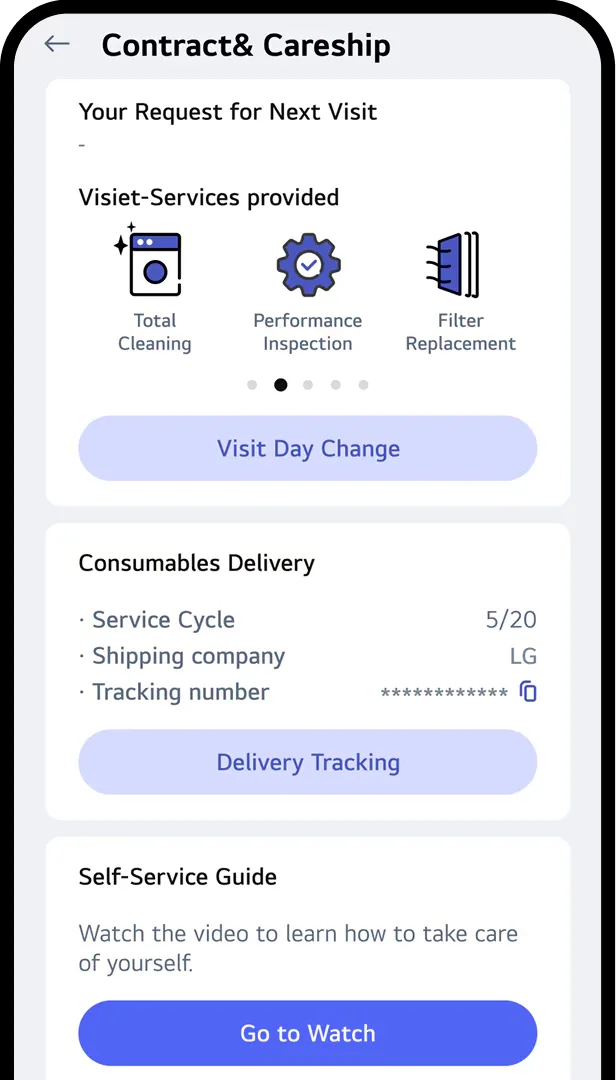
STEP 01
After login, tap “LG Subscribe” section
to see delivery and installation details.

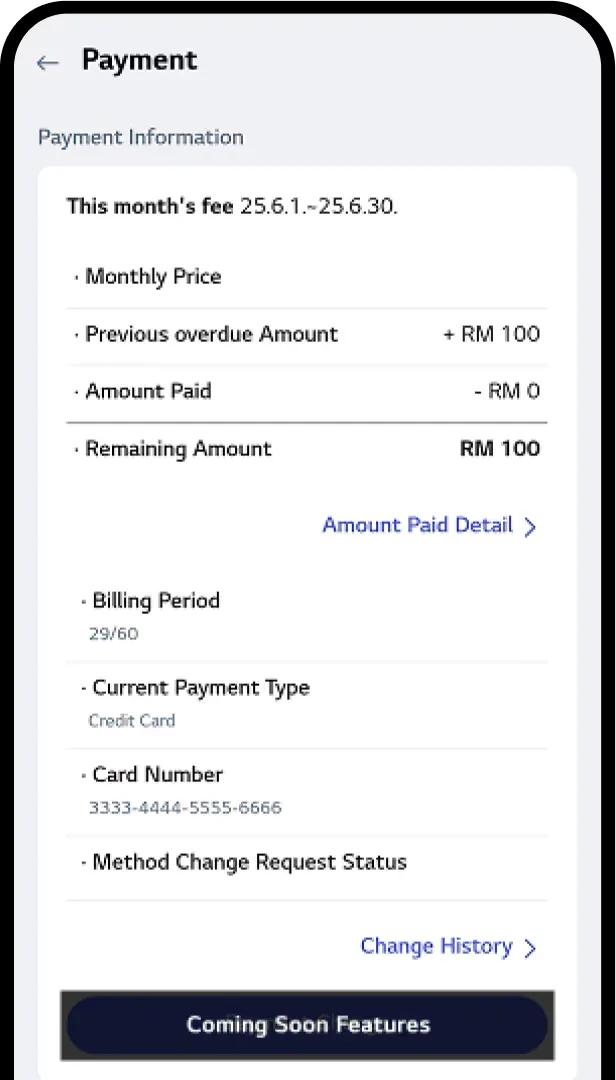
LG Subscribe is a comprehensive home appliances rental program offered by LG Electronics Malaysia on selected range of products.
LG Subscribe operates by providing customers with the option to rent home appliances through our Rent-Up program. The rental process involves selecting a desired product, choosing a suitable contract duration, and making monthly payments.
The rental program is open to eligible individuals/corporate who meet the specified credit criteria.
No upfront payment is required upon application for this rental program.
You can pay your monthly rental via Autodebit: monthly deduction from your Debit/Credit Card
Yes, subject to termination fees that will be applicable.
Depending on eligibility, customers may apply for multiple products under the LG Subscribe program.
Yes. The rented product shall be with the customer without rental fee after the end of the contract period.
Please refer to the attached document for the ‘Terms and Conditions of Sales Contract’ and ‘Service and Warranty Terms and Conditions’ through the download link.
(LG Subscribe T&C)
(LG Subscribe Warranty)